Use This Transposer To Make Any Song Simple
Free Ukulele Chord Transposer: Change Key Instantly
Free Chord Transposer for Ukulele, Guitar and Piano
Transpose any song instantly and play it your way.
Play songs with easier chords, match the key to your voice, and make any song easier to practise and play.
Paste your song,
- shift the key up or down
- simplify difficult chords
- auto-scroll the lyrics
- adjust the font size
- practise with built-in learning modes (toggle lyrics or chords)
Try It Now
Copy paste lyrics with chords above the words, then press + or − to change key.
You are my sunshine

[Chorus]
           C
You are my sunshine
        C7
My only sunshine
</> embed | Report Issue | Suggest Feature
Hi, I'm your ukulele teacher, Nicholas.
When I started playing songs on the ukulele, I often ran into the same problem. The chords felt too hard, or the key did not suit my voice.
It was frustrating.
That is exactly why I created this tool. I wanted something simple, fast, and beginner-friendly.
Just copy and paste your song, click a button, and play it in a better key.
I hope this article will help you!
.
How to learn and progress with ukulele?
Not sure where to start? This gives you your first step.
Free 7-day plan.
5 minutes a day.
Start gently.
Capo On Ukulele: 5 Simple Tricks To Sound Better!
You will find here a free chord transposer that works for guitar, piano and ukulele. Some stuff are especialy for ukulele (namely chord simplification).
I hope it helps!!
- Table of Contents
- How to Use This Chord Transposer?
- Why Transpose a Ukulele Song?
- How to Make Ukulele Chords Easier with the Transposer
- How to Find a Better Key for Your Voice
- Transpose Chords or Use a Capo?
- Practice Mode
- Transposing is now so easy
- Get a chord simplification
- Practice Your Song With Auto-Scroll
- Save your song!
- Tips to format well the text you paste
- Song section's
- Chords recognition
- Want extra spacting between two parts?
- Tips for Formatting the Text You Paste
- Conclusion
- FAQ ❓
How to Use This Chord Transposer?
Just paste your lyrics and chords in the texbox area.
Then using the buttons you can:
Transpose the song - press the (-) or (+) buttons next to the "transpose" text.
Get a simplification, so that you can use easier chords (Click on "Simplify") . See How to Make Ukulele Chords Easier with the Transposer
Auto scroll your song, so that you can see all of it . See Practice Your Song With Auto-Scroll
Copy the result as a text
Get all the chord diagrams ("tabs") instantly! (see below the song) all the list as an image if needed.
Auto Scroll to play your favorite song
-
- Display with the chords just displayed once, or in all the song, or none
- Display without the chords to help you to remember them
- Display without the lyrics and try to remember them
Adjust the font size
Why Transpose a Ukulele Song?
Transposing a ukulele song means moving all the chords higher or lower while keeping the same song structure.
Why would you do that?
Usually, for two simple reasons:
- to make the chords easier to play
- to make the song easier to sing
Use This Transposer to Make the Song Easier to Sing
Transposing can also help your voice.
If a song feels too high, move it lower.
If it feels too low, move it higher.
You do not have to sing in the same key as the original artist!
As a ukulele teacher, I often remind beginners of this:
you are allowed to adapt the song to you. The goal is not to suffer through difficult chords.
The goal is to play, sing, and enjoy the music.
How to Make Ukulele Chords Easier with the Transposer
Transpose it. Simplify it. Try again.
Some songs look simple until you meet an annoying E or B chord.
The good news: you do not always need to play a song in its original key. With this transposer, you can quickly test easier versions and find chords that feel better under your fingers.
Transpose the song to find easier chords with the Transposer
Some songs sound lovely, but the original chords are not very beginner-friendly. You may find chords like B, E, or G#m, and suddenly the song feels much harder than expected.
But the problem is not always the song itself. Sometimes, it is just the key.
Try moving the song:
- one or two half steps higher
- one or two half steps lower
While doing so, look at the chord diagrams below the transposed song.
Ask yourself:
- Are there fewer barre chords?
- Are the chord shapes easier?
- Do the chord changes feel smoother?
- Does the song still fit your voice?
Sometimes, one small transposition can turn a difficult song into something much more beginner-friendly.
Use the “Simplify” button
Or sometime there is just easier and more simple chords, without changing key.
You can also click the “Simplify” button.
This is especially useful for ukulele players. The tool will suggest easier chord alternatives when possible, so you can practise the song with simpler shapes.
For example, some complex chords can often be replaced with easier versions while keeping the song close enough for beginner practice.
So if a song feels too hard, do not give up too quickly.
Transpose it. Simplify it. Try again.
That is often enough to make the song playable, and much more enjoyable to play!
You don’t need more videos. You need a simple path to follow.
5 minutes a day. Real progress.
How to Find a Better Key for Your Voice
Make Any Ukulele Song Fit Your Voice With One Click
Sometimes a song has the right chords, but the wrong key for your voice.
Maybe the melody feels too high. Maybe you have to push your voice too much. Or maybe the song sits too low and loses energy.
That does not mean the song is wrong for you. It may simply need a better key.
With this transposer, you can move the song higher or lower until it feels more comfortable to sing.
Try transposing the song
Use the + and − buttons to shift the chords up or down.
After each change, play the chords, and sing a small part of the song and ask yourself:
- Does my voice feel more relaxed?
- Can I sing the highest notes without forcing?
- Does the song still sound good on the ukulele?
- Are the new chords still easy enough to play?
You can also use a capo if you want the song to sound higher while keeping the same chord shapes.
But if you want to move the song higher or lower and discover new chord shapes, use the transpose buttons.
A small change can make a big difference.
Find the key where your voice feels natural, your chords feel playable, and the song becomes more enjoyable.
Transpose Chords or Use a Capo?
Transposing and using a capo can both help you change the key of a song, but they do it in different ways.
A capo makes the song sound higher while you keep the same chord shapes. For example, if you play C, F, and G with a capo, your fingers still play C, F, and G shapes, but the song sounds higher.
Transposing changes the actual chord names. For example, C, F, and G might become D, G, and A, or A, D, and E.
Read also: Capo On Ukulele: 5 Simple Tricks To Sound Better!
When should you use a capo?
Use a capo when:
- the chords are already easy
- you want the song to sound a little higher
- you want to keep the same chord shapes
- the song feels too low for your voice
This is often the quickest solution if you already like the chords.
Note: if there is already a capo in the text you are pasting, make sure this indication is written correctly so that the transposer understand it. See Capo
When should you transpose the chords?
Transpose the song when:
- the chords are too difficult
- you want to find easier shapes
- the key feels too high or too low for your voice
- you do not have a capo with you
This is especially useful for beginner ukulele players. Sometimes, moving a song by just one or two half steps can remove a difficult chord and make the whole song easier to play.
When Use Both?
To try to find easier chord shapes but keep the same key, then try pressing the (-) button. You'll see, the transposer will suggest you where to place the capo to keep the same key.
Note: if there is already a capo in the text you are pasting, make sure this indication is written correctly so that the transposer understand it. See Capo
My simple rule
If the chords feel good but the song is too low, try a capo.
If the chords feel too hard, transpose the song.
And if you are not sure, try both. The best version is the one that feels comfortable for your fingers and natural for your voice.
Practice Mode
Practice Mode helps you learn a song instead of just reading it. You can hide the chords or the lyrics, then test what you remember.
Click the “G#” button to hide the chords and keep only the lyrics visible.
This is great when you want to practise the chord changes from memory.
Click it again to bring the chords back.Click the “abc” button to hide the lyrics and keep only the chords visible.
This is useful when you want to practise singing the song without reading every word.
Click it again to bring the lyrics back.
Transposing is now so easy
Transposing may sound technical, but it is not. It simply means moving every chord higher or lower so the song becomes easier to play or sing.
If a song uses tricky chords, shift it until you find comfortable shapes. If it feels too high or too low, adjust it to match your voice.
Beginners often believe they must play songs in the original key. You do not. Your version is what matters.
Get a chord simplification
Chord too hard? Let's simplify them! Sometime try to transpose it and use a capo. +/- 1/2 is fine, no need for a capo, unless want to stay in the same key than the original. (Coming soon:) There are different level of simplifications: level 1,2,3,4. Most music are already in level 3.
Practice Your Song With Auto-Scroll
Auto-scroll helps you play without touching the screen while the song moves down automatically.
Press the play button:
The song will start scrolling.
Press it again to pause the auto-scroll.
Adjust the scrolling speed
You can adjust the scrolling speed with the − and + buttons.
Keyboard shortcuts
Once auto-scroll has started, you can also use your keyboard:
- Space bar: play or pause auto-scroll
- Escape: stop auto-scroll
Start slowly at first. Then increase the speed when you feel more comfortable with the song.
Save your song!
The transposer automatically saves your last 5 songs.
It uses the song's title (the first line) to identify the song.
Would you like to save more song? Write me a message, Yes, I would like to save more songs!
Or would you like to edit the songs? Write me a message, Yes, I would like to edit the songs!
Tips to format well the text you paste
A couple of tips to help this tool recognize all part of your song.
Song title
The first line pasted is recognized as the title.
Capo
Just below you can indicate where you want a capo to be set. It should be written like:
Capo 1
That way to transposer will recognize it, and use it.
Song section's
All the song section's name (part headers) should be in bracklets. I.e. [Intro], [Outro], [Bridge], [Refrain], [Chorus], [Verse]...
Chords recognition
Remove extra text in your chord lines.
If some chords don't have a light grey background it means that there are some text that isn't considered as chord on the line.
Try removinng text that doesn't look like chords, or chords that seem quite complex that might not be recognized.
A chord is still not recognised?
Try that:
- remove extra text on the chord line
- a chord may be written in a way the transposer don't understand yet. Try something else.
- the chord is very complex (like Ab5dim or such)
- there is a typo
Please let me know your issue and paste the music as text. I'll do my best to resolve it.
Want extra spacting between two parts?
If you want an extra spacing between two part of a verse, for instance, add a character in the line (but not a space). A dot will suffice.
Tips for Formatting the Text You Paste
Here are a few simple tips to help the transposer recognise the different parts of your song correctly.
Song Title
The first line you paste is recognised as the song title.
For example:
Amazing Grace
Capo
If you want to use a capo, write it just below the song title, in the following format.
Capo 1
("not Capo: 1", or "Capo: Fret 1", but "Capo 1").
This helps the transposer recognise the capo position and use it correctly.
Song Sections
Write section names inside brackets.
For example:
[Intro]
[Verse]
[Chorus]
[Bridge]
[Outro]
Chord Recognition
Try to keep chord lines clean.
If a chord does not have a light grey background, it may mean the tool has not recognised it as a chord.
This can happen if:
- there is extra text on the chord line
- the chord is written in an unusual way
- the chord is very complex
- there is a typo in the chord name
If that happens, try removing anything that does not look like a chord.
Extra Space Between Parts
If you want to add extra space between two parts of the song, add a simple character on an empty line.
For example:
.
A dot is enough. Avoid using only spaces, as they may be ignored.
You don’t need to feel ready. Just begin.
Just 5 minutes a day.
Conclusion
If transposing felt confusing before, I hope this article has made it feel much simpler.
You do not need to force yourself through painful chords or sing in a key that does not fit your voice. A small change can already be a real win.
Today, try one simple thing: paste one song, move it one step up or down, and see if it feels easier.
I have seen many adult beginners progress faster when practice feels clear, calm, and structured. You do not need to do everything at once.
I hope I have been helpful today.
And if you would like gentle guidance to get to the next level, feel free to try a free one-to-one ukulele lesson.
FAQ ❓
If you have any more questions, feel free to ask me.
What is a ukulele chord transposer?
A ukulele chord transposer is a tool that moves all the chords of a song higher or lower.
It helps you find easier chord shapes or a better key for your voice.
You paste your song, press (+) or (−) next to "Transpose", and the chords change automatically.
How do I transpose ukulele chords?
Paste your lyrics and chords into the transposer.
Then use the (+) or (−) buttons next to "Transpose" to move the song up or down.
Try a few different keys and look for chords that feel easier to play.
Why should I transpose a ukulele song?
Transposing can make a song easier in two ways:
- the chords may become simpler
- the melody and the key may fit your voice better
In my experience teaching adults, many beginners do not need an easier song.
They just need the same song in a better key.
Can transposing make ukulele chords easier?
Yes. Some songs have difficult chords like E, B, or G#m.
By moving the song up or down, you may find easier chords like C, Am, F, G, Dm, or Em.
A small change can make the song much more beginner-friendly.
What is the easiest way to make hard ukulele chords simpler?
Try two things:
- transpose the song one or two half steps up or down or
- use the Simplify button if available
This gives you a quick way to test easier versions before giving up on the song.
Should I transpose chords or use a capo?
Use a capo when the chords are already easy, but the song feels too low for your voice.
Transpose the chords when the shapes feel too hard or when you want to explore easier options.
Transpose and use the capo if the shapes feel too hard and you want to keep the same key (not lower, not higher).
This transposer will tell you where to place the capo!
If you are not sure, try both and choose the version that feels best.
Is a capo the same as transposing?
Not exactly.
A capo makes the song sound higher while your fingers keep the same chord shapes.
Transposing changes the chord names themselves.
Both can help, but they solve slightly different problems.
How do I find the best key for my voice?
Transpose the song up or down, then sing a small part each time.
Ask yourself:
- can I sing the high notes without forcing?
- does my voice feel relaxed?
- are the chords still playable?
The best key is the one where your voice and fingers both feel comfortable.
What should I do if a song is too high to sing?
Move the song lower with the transpose button: press (−) next to "Transpose".
Try one or two steps first.
Then sing a short section again and notice whether your voice feels more relaxed.
If you have a capo, you can also try: Sing lower!
What should I do if a song is too low to sing?
You can move the song higher with the transpose button: press (+) next to "Transpose"
You can also use a capo if you have one and if the chords are already easy.
The goal is to find a key where the song feels natural to sing.
Can I use this transposer for guitar or piano too?
Yes!
The tool can transpose chord names for ukulele, guitar, piano, and other chord-based instruments.
Some features, such as chord simplification, are especially useful for ukulele players.
How should I format the song before pasting it?
Put the song title on the first line.
Write section names inside brackets, like [Verse] or [Chorus].
Keep chord lines clean, without extra text, so that the Transposer can recognise them.
Why are some chords not recognised?
A chord may not be recognised if:
- there is extra text on the chord line
- the chord is written in an unusual way
- the chord is very complex (like Ab5dim or such)
- there is a typo
Try removing anything that does not look like a chord.
How does auto-scroll help me practise?
Auto-scroll moves the song down the screen while you play.
This helps you keep your hands on the ukulele instead of touching the screen.
Start slowly, then increase the speed when the song feels more comfortable, or when it auto-scrolls too slowly for you.
How can Practice Mode help me learn a song?
Practice Mode lets you hide the chords or hide the lyrics.
This helps you test your memory step by step.
With my beginner students, I often see that this kind of simple structure makes practice and memorising feel less overwhelming.
How long should I practise a transposed song?
Start with 5 minutes.
Play slowly, focus on one small section, and repeat it a few times.
Consistency matters more than long practice sessions.
A calm weekly structure makes progress much easier to sustain.
How can I get better at changing keys and choosing easier chords?
The easiest way is to practise with a clear structure.
Start with simple songs, test different keys, notice which chords feel comfortable, and repeat this process regularly.
Inside the You’Cool’Ele Club, I guide beginners step by step so this becomes easier and less random.
If you’d like structured guidance to start playing more confidently, you can
Join the You’Cool’Ele Club (I offer the first session).
Inside the Club, I guide members step by step:
✔ Finding easier chord versions of songs
✔ Choosing a key that fits your voice
✔ Practising with a calm weekly structure
✔ Building confidence singing and strumming together
✔ Developing steady rhythm without feeling rushed
✔ Turning practice into a sustainable, enjoyable habit
It’s designed especially for adults who want steady, joyful progress.
How to transpose on a ukulele? Is there a free chord transposer? Is transpose the same as capo? How to transpose guitar to ukulele? How to transpose ukulele to guitar? ukulele transpose chart
Transpose uke to bass uke Transpose bass uke to uke
Transpose bass guitar to uke Transpose uke to bass guitar
Transpose bass to guitar Transpose guitar to bass
Transpose uke to a baritone uke Transpose a baritone uke to uke
Would you like some help on a regular basis?
Why not book a lesson.
You'll have the help of an expert to progress and improve, while keeping it fun.
I hope this article has helped you :)
Have a fantastic day!
And you?
Feel free to leave a comment below.
If you are looking a ukulele transpose chord app, ukulele transpose capo, free chord transposer, key transposer, guitar chord transposer, piano transposer, you will find the answer below. Even though I must say I’m not entirely convinced about those last ones, although I do believe that playing with simpler chords and playing a song right in your vocal range (as mentioned below) can definitely help.
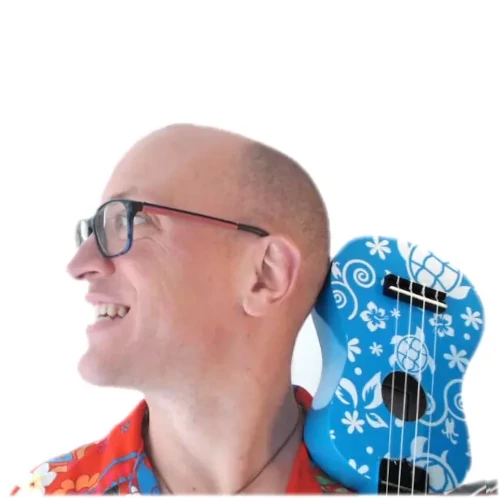
Hey there! Looking for a fun way to strum your way into the world of music?
Well, look no further! I'm Nicholas, your friendly ukulele teacher extraordinaire! With my expertise and a sprinkle of laughter, I'll have you strumming those strings like a pro in no time.
Get ready to unleash your inner musician and embark on a musical journey.